
Getting started
The Bureau lays every file of a project side by side, like paper on a table. The tools follow what you touch.
The Bureau speaks French or English: it asks on your first visit (or follows this site’s language when you open it from here), and you can change it in the menu, “Settings”.
Open the Bureau
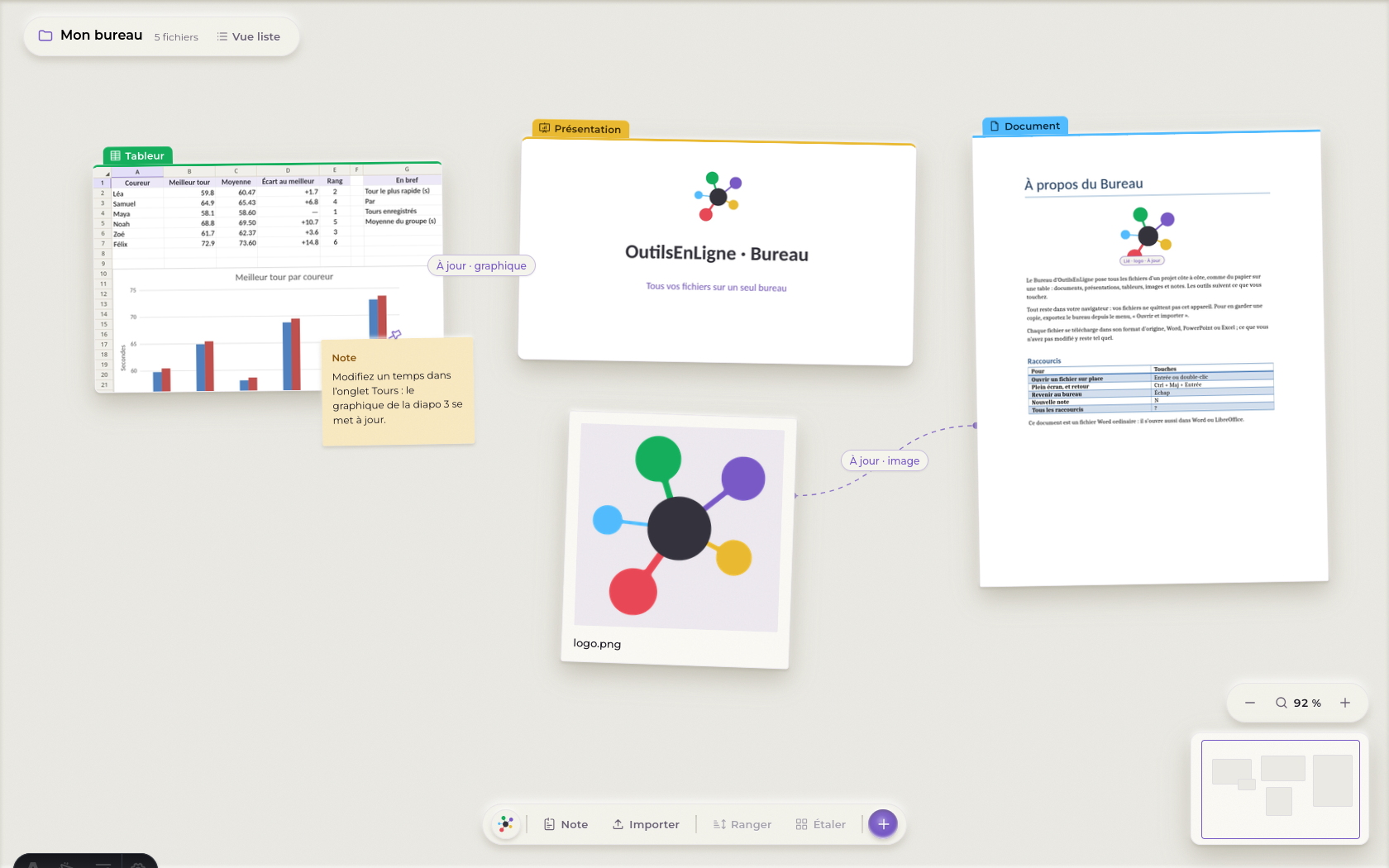
Go to /bureau. No account is needed. The first time, the desk holds a demo: a spreadsheet of race times, a welcome presentation, a logo and a document. Everything you do there stays in this browser.
Drop files
Drag files onto the desk, or use Ctrl O (“Import” in the bottom bar). They land where you drop them, fanned out, and each shows how far along it is: reading, converting, ready.
| Format | On the desk |
|---|---|
| Word (.docx) | Editable document |
| Excel (.xlsx), .csv, .tsv | Editable spreadsheet, formulas calculated |
| PowerPoint (.pptx) | Editable presentation |
| Images (PNG, JPEG, WebP…) | Retouchable image |
| Kept with its page count (viewing to come) | |
| .odt, .ods, .odp, .txt, .md | Text preview |
A file can be up to 100 MB.
Three levels, one way back
- The desk: every paper, at whatever size you like.
- Open in place: double-click a paper (or Enter). It opens over the desk, which stays visible around it.
- Full screen: Ctrl Shift Enter, or “Agrandir”. Full menus, outline, status bar.
Esc goes back one level at a time; it first ends what is in progress (a menu, a search). The browser’s Back button does the same: each level has its own address. Back on the desk, the paper returns to its place, selected, with an up-to-date thumbnail.
Create
The round “+” at the right end of the bottom bar (Alt N) creates a document, a presentation or a spreadsheet in the middle of the view. N puts down a note.
Keep your work
The desk saves itself on this device. To keep a copy elsewhere, open the menu (the logo, bottom left), “Open and import”, then “Export the desk (.zip)”. Each file also downloads in its original format from its own menu. See Formats and privacy.